WolfBite 🐺



A modern food delivery application with WIC eligibility verification
Features • Quick Start • Documentation • Contributing • License
📖 About
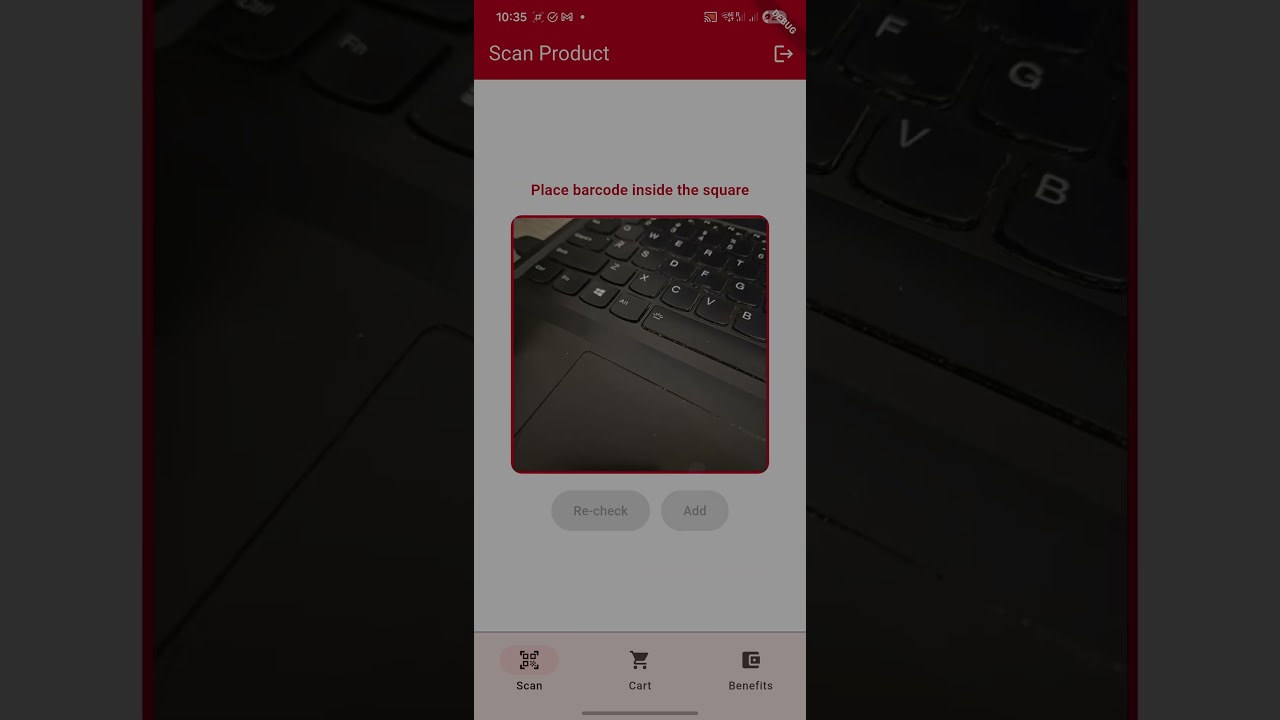
WolfBite is a cross-platform food delivery application developed for the CSC510 Software Engineering course at NC State University. The app features an innovative barcode scanning system that helps users verify WIC (Women, Infants, and Children) product eligibility in real-time.
Key Highlights
- 🔍 Smart Scanning: Real-time barcode scanning with WIC eligibility verification
- 🔐 Secure Authentication: Firebase-powered user authentication
- 🎨 Modern UI: Intuitive and responsive design
✨ Features
- Barcode Scanner: Scan product barcodes to check WIC eligibility instantly
- User Authentication: Secure sign-up and login with Firebase
- Shopping Cart: Add items and manage your cart seamlessly
- Order Management: Track your orders in real-time
- Responsive Design: Optimized for mobile and web platforms
🚀 Quick Start
Prerequisites
Before you begin, ensure you have the following installed:
- Flutter SDK (3.9.2 or higher)
- Dart SDK (included with Flutter)
- Git
- A code editor (VS Code, Android Studio, or IntelliJ IDEA recommended)
Installation
-
Clone the repository
git clone https://github.com/SuyeshJadhav/CSC510_G19.git cd CSC510_G19/Project2 -
Install dependencies
flutter pub get -
Configure Firebase (if applicable)
- Add your
google-services.json(Android) andGoogleService-Info.plist(iOS) - Update Firebase configuration in the project
- Add your
-
Run the application
# For web flutter run -d chrome # For mobile (with device connected) flutter run # For specific platform flutter run -d <device_id> -
Build for production
# Android APK
flutter build apk --release

# iOS
flutter build ios --release

# Web
flutter build web --release
📦 Dependencies
Our project leverages these carefully selected packages:
| Package | Version | Purpose | License | Documentation | Mandatory/Optional |
|---|---|---|---|---|---|
firebase_core |
^4.2.0 | Firebase integration | BSD 3-Clause | Docs | Mandatory |
firebase_auth |
Latest | User authentication | BSD 3-Clause | Docs | Mandatory |
cloud_firestore |
Latest | Cloud database | BSD 3-Clause | Docs | Mandatory |
go_router |
^16.2.5 | Navigation & routing | BSD 3-Clause | Docs | Mandatory |
provider |
^6.1.5+1 | State management | MIT | Docs | Mandatory |
mobile_scanner |
^7.1.2 | Barcode scanning | BSD 3-Clause | Docs | Mandatory |
qr_flutter |
^4.1.0 | QR code generation | BSD 3-Clause | Docs | Optional |
Note: All dependencies are automatically installed via `flutter pub get
🧪 Testing
Run the test suite to ensure code quality:
# Run all tests
flutter test

# Run tests with coverage
flutter test --coverage

# Run specific test file
flutter test test/screens/signup_page_test.dart
📚 Documentation
- User Guide - Comprehensive user documentation
- Contributing Guidelines - How to contribute to this project
- Code of Conduct - Community guidelines
🤝 Contributing
We welcome contributions! Please see our Contributing Guidelines for details on:
- Setting up the development environment
- Code style and standards
- Submitting pull requests
- Reporting issues
Development Workflow
- Fork the repository
- Create a feature branch (
git checkout -b feature/amazing-feature) - Make your changes and commit (
git commit -m 'feat: add amazing feature') - Push to your branch (
git push origin feature/amazing-feature) - Open a Pull Request
👥 Team
CSC510 - Group 19
| Name | Role | GitHub |
|---|---|---|
| Suyesh Jadhav | Developer | @SuyeshJadhav |
| Digvijay Sanjeev Sonvane | Developer | @digvijaysonvane |
| Vanaja Binay Agarwal | Developer | @vanajaagarwal |
📄 License
This project is licensed under the MIT License - see the LICENSE.md file for details.
📄 Demo
📞 Support
- Issues: GitHub Issues
- Discussions: GitHub Discussions
- Email: Contact Team
Made with ❤️ by CSC510 Group 19
Built with Flutter • Powered by Firebase